Fridge magnets
Rigid photo magnet
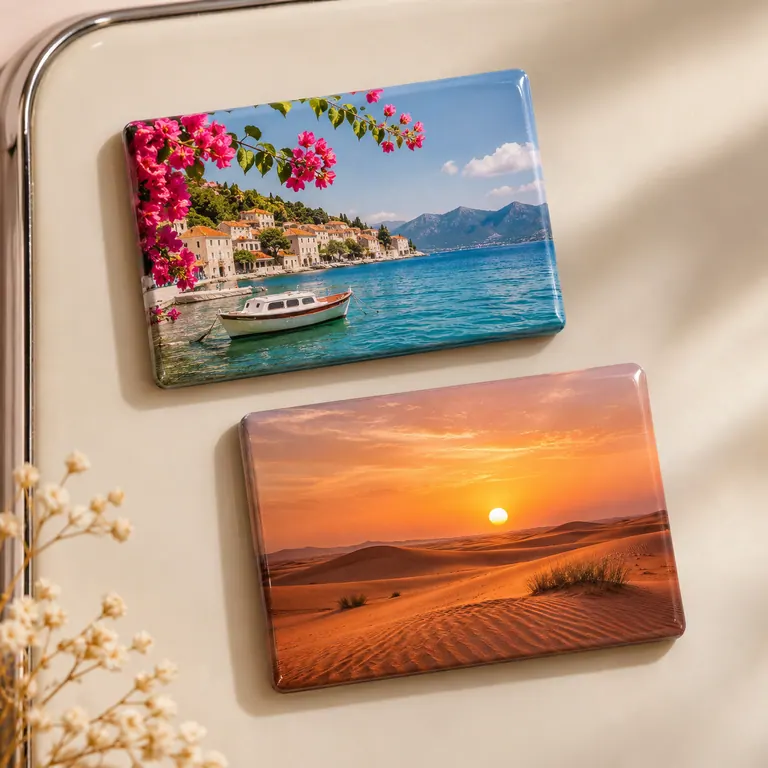
A rigid photo magnet keeps a picture flat against a magnetic surface. Send the original photograph and your preferred crop.
Read product details & FAQsEach order is custom quoted. Send your quantity, specifications and required date for pricing and production time.
Request this quote on WhatsAppWhat to include in your brief
- Shape & backing
- Finished outline, dimensions and backing preference
- Artwork & personalisation
- Upload a photo or illustration and indicate the crop. For a custom outline, include the cut shape.
How to request this product
Enter your quantity and preferred date in the quote form. Upload a PDF, PNG or JPEG up to 3 MB. The studio will review the artwork, price and timing with you.
Product details
Rigid photo magnet
A rigid magnet suits a family portrait, a school photograph or a small series of travel pictures. A portrait photo and a square magnet have different proportions, so the crop determines how much of the scene appears. A face near the edge deserves particular attention.
Before you order
Mark the people or details that must stay in frame and say whether you prefer a tighter crop or a border.
Product FAQs
What happens if my photo has a different shape from the magnet?
Specify whether to crop the image to fill the face or keep the complete picture within a border. Check the final crop and any caption together on the proof.
How do I choose a rigid, flexible or raised magnet?
A rigid face frames a photo or badge. A flexible sheet follows a cut outline and keeps a low profile. A raised design gives a souvenir more depth. Identify where it will be displayed and whether each piece will be mailed.
How much space should I leave on a backing card for a souvenir magnet?
Start with the magnet’s widest and tallest points. Mark the shop display hole, any clear sleeve and the printed message on a sketch. Ask to see the assembled dimensions before approving the card.
What should I check on a photo magnet proof?
Look at the crop at the actual finished size, particularly around faces and text. Keep important details away from rounded corners and show which way the image should face when displayed.